 Coming soon
SnagLine
Snagging and site reports for iPhone and iPad
Walk the site, photograph and mark up each snag, and send a branded PDF report before you leave. No account.
Coming soon to the App Store. Ask to hear when it’s out
 Coming soon
SnagLine
Snagging and site reports for iPhone and iPad
Walk the site, photograph and mark up each snag, and send a branded PDF report before you leave. No account.
Coming soon to the App Store. Ask to hear when it’s out
About SnagLine
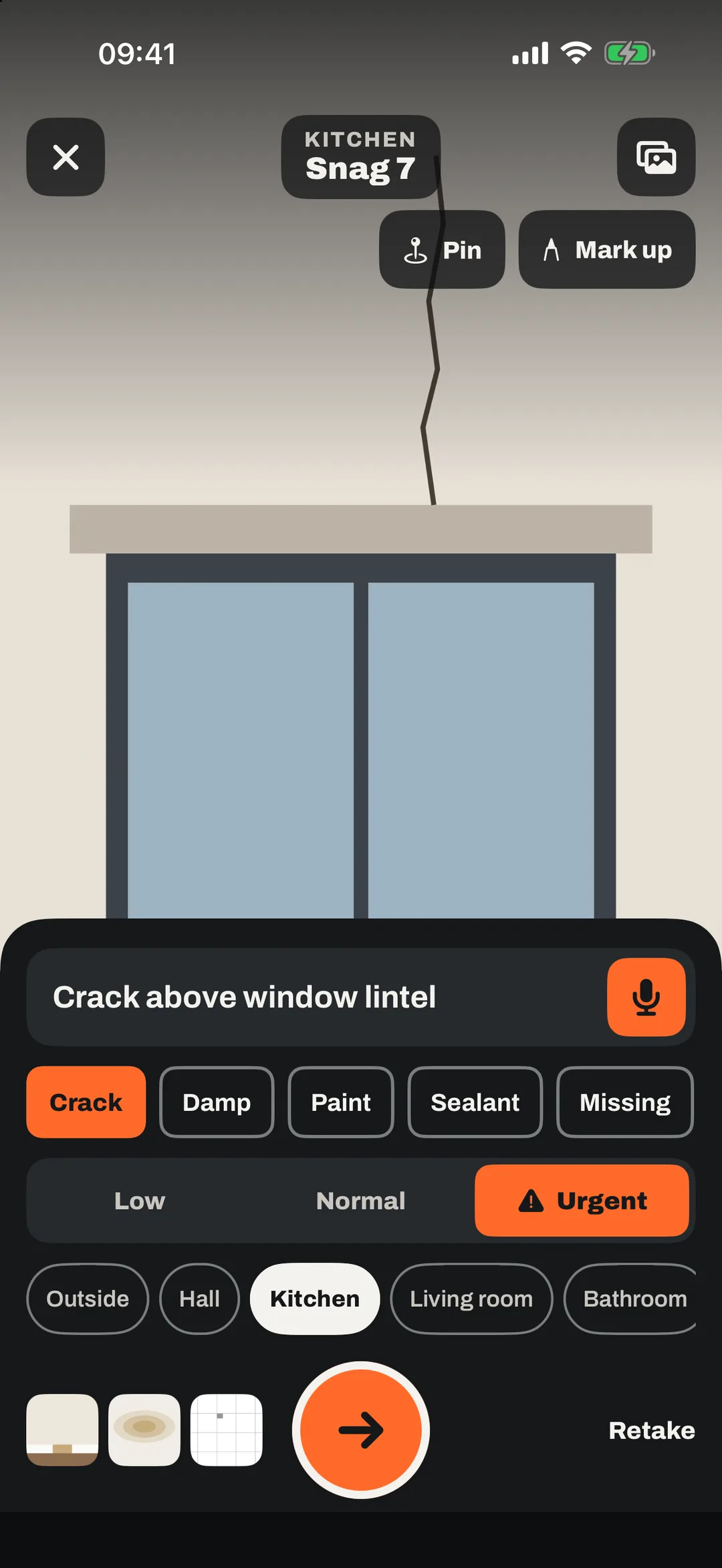
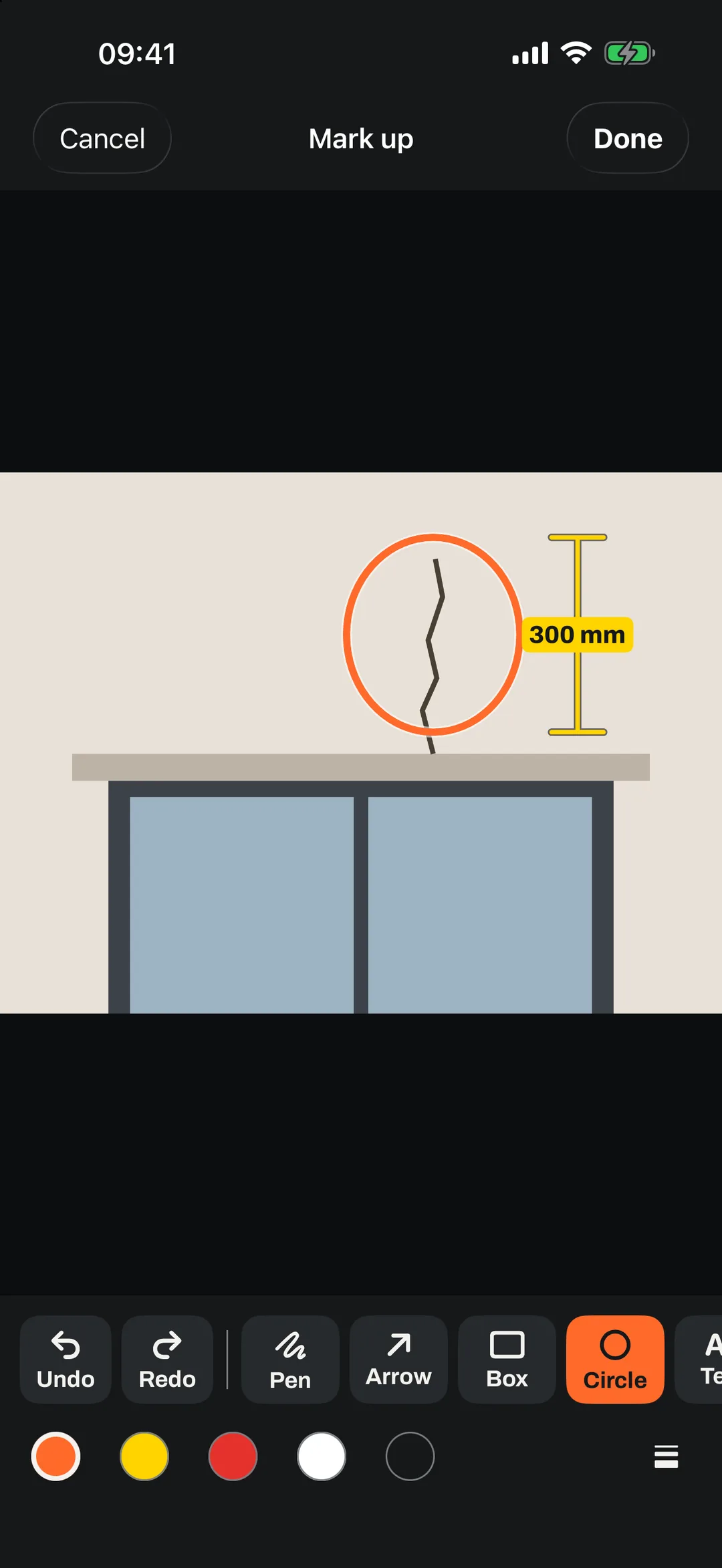
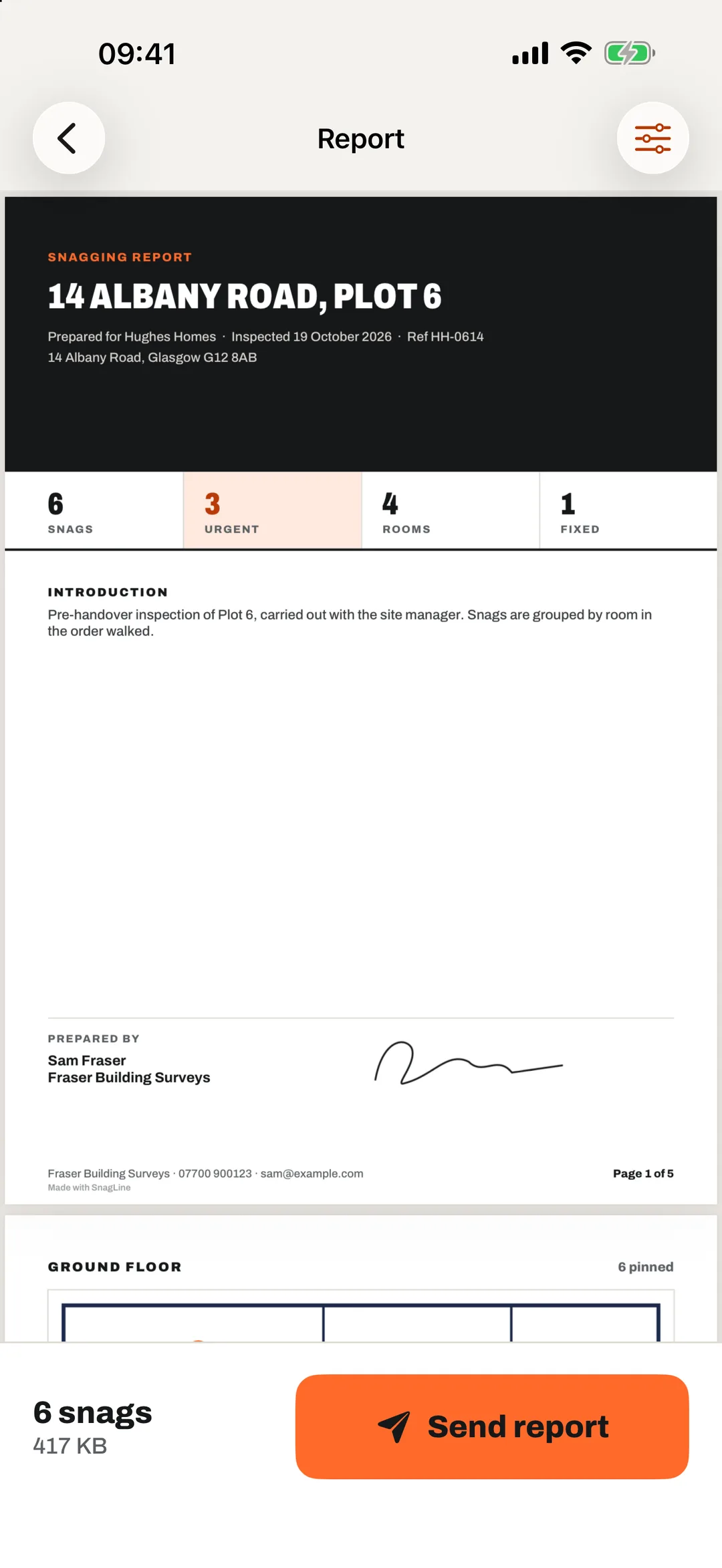
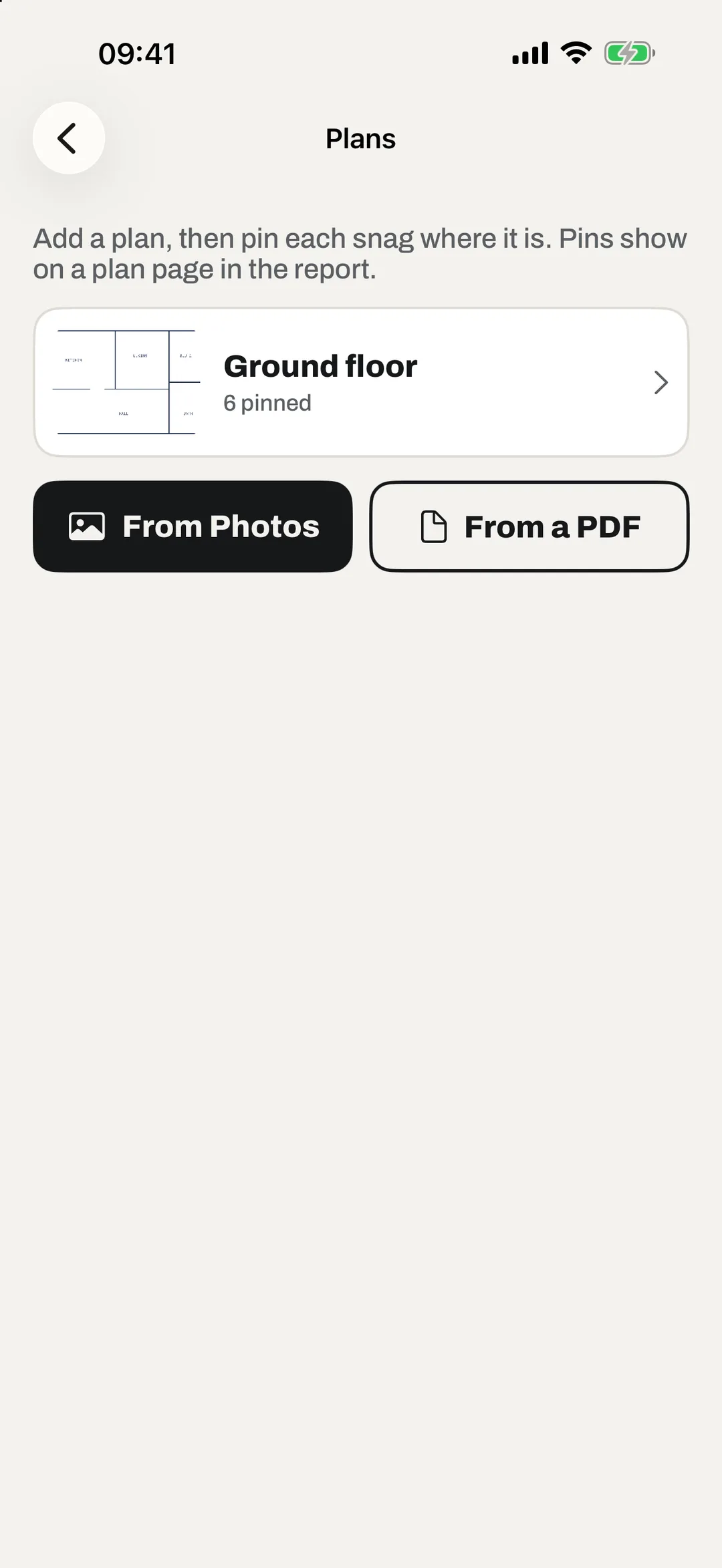
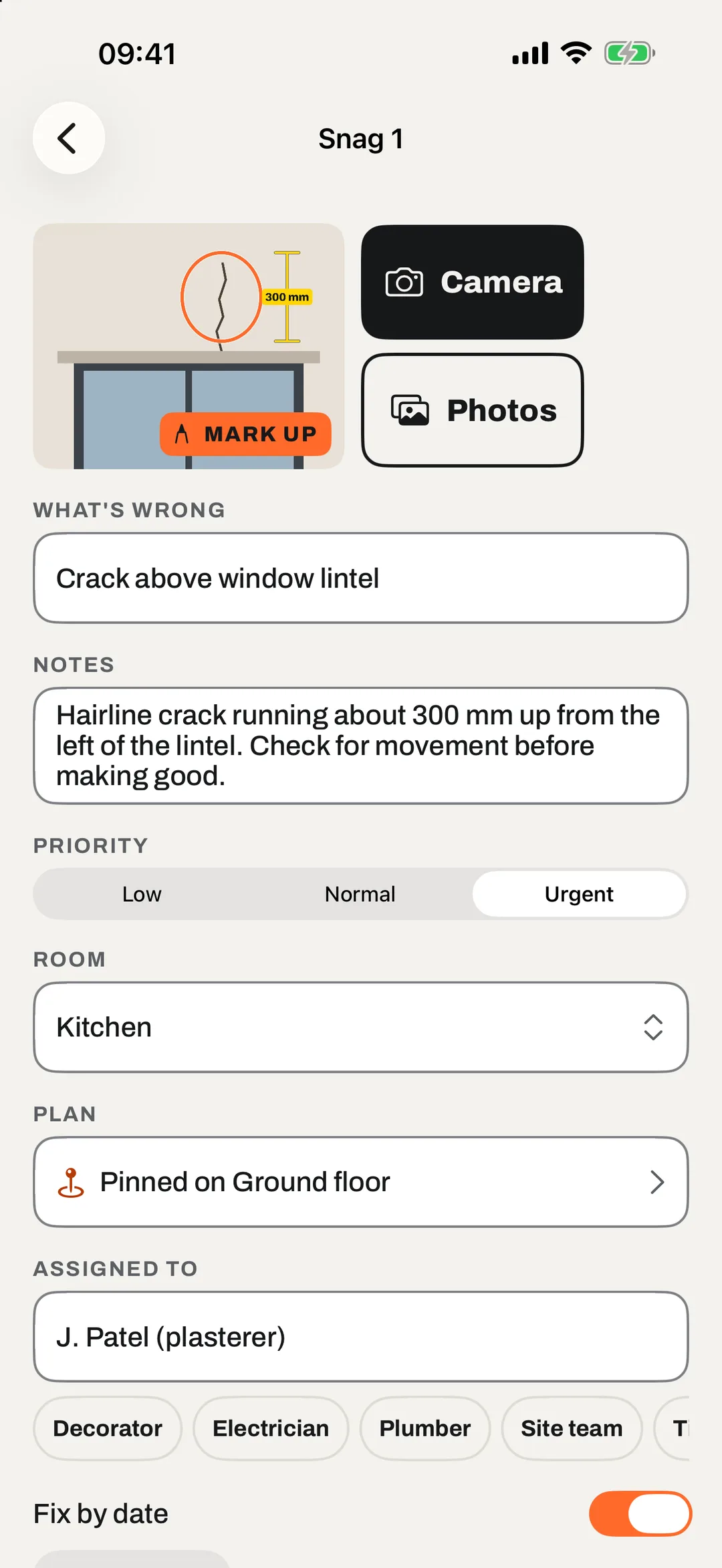
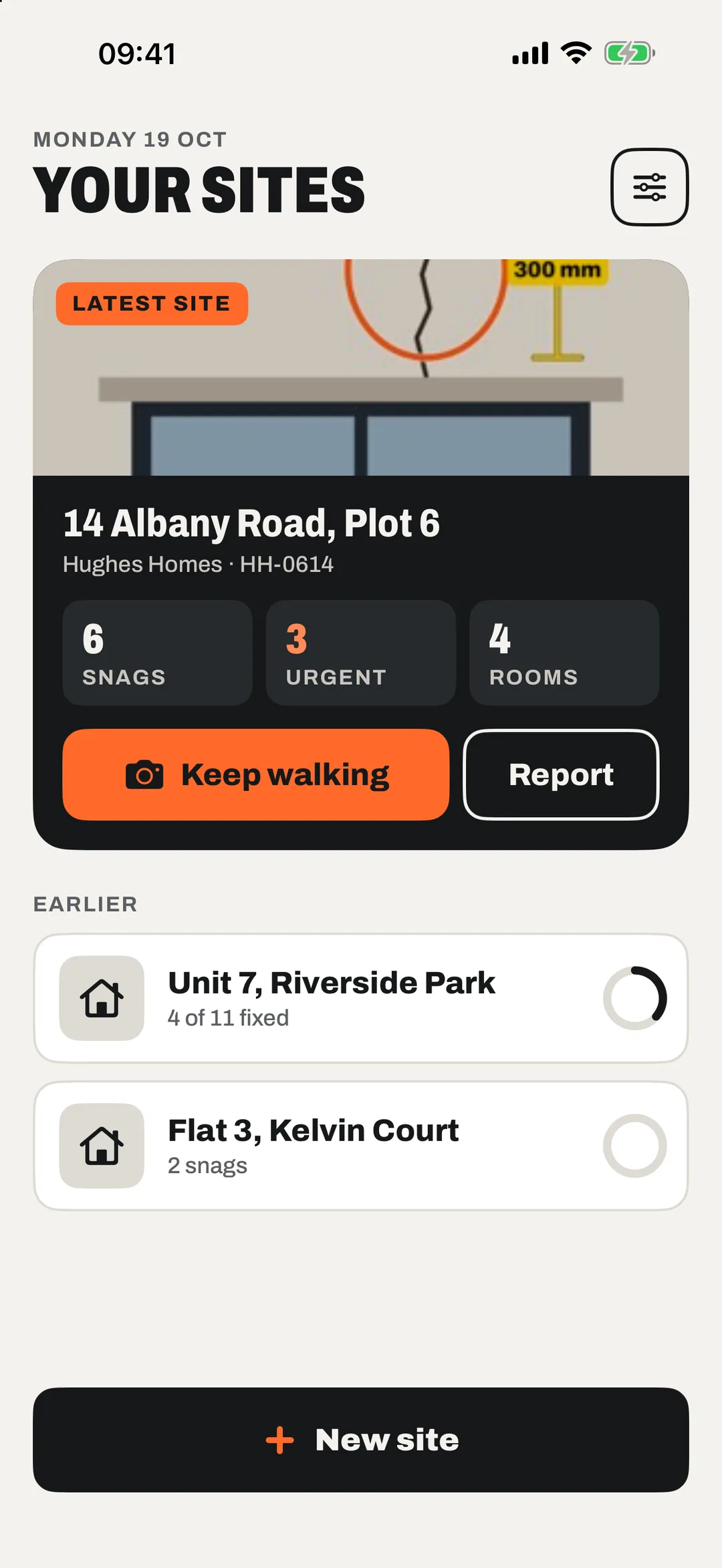
SnagLine is for builders, contractors, inspectors and landlords who log snags, punch lists and check-outs. Walk the site with the camera first: take the photo, say what's wrong, tap the arrow and move on. Circle or measure the problem on the photo, pin it on the floor plan, and send a branded PDF report before you leave the drive.
It works with no signal and needs no account. SnagLine is free for two sites at a time, with no watermark, and a one-time unlock adds unlimited sites, every report design and spreadsheet export. Your sites stay on your device and in your own iCloud.
- Camera first, speak or type each snag
- Branded PDF reports, no watermark
- Free for two sites, then one payment
At a glance
- Platforms
- iPhone
- Status
- Coming soon
- For
- Builders, contractors, inspectors, landlords
- Devices
- iPhone and iPad, iOS 17 or later
- Price
- Free, with a one-time unlock
- Your data
- On your device and your own iCloud
Questions
- What is SnagLine?
- SnagLine is an iPhone and iPad app for snagging, punch lists, inspections and check-outs. You photograph each snag, mark it up, pin it on a floor plan and send a branded PDF report.
- Does SnagLine work without a signal?
- Yes. Every snag saves on the device as you go, so you can work on site with no signal.
- Is SnagLine free?
- It is free for two sites at a time, with walk mode, voice, markup, plans, signatures and full PDF reports, and no watermark. A one-time unlock adds unlimited sites, every report design, your own wording, spreadsheet export, folders and the widget. There is no subscription.
- Do I need an account?
- No. Your sites stay on your device. If you turn on iCloud sync they are stored in your own private iCloud, which we cannot see.
- Can I add my logo to reports?
- Yes. Reports carry your logo, company details and signature, in four designs and your own colour.
SnagLine in the notebook
- 23 October 2026Guide
How to write a snagging report that gets things fixed
What to put on the first page, how to describe each snag, how to order the report, and what to do when the work is done. - 23 October 2026Guide
New-build snagging checklist: room by room
A practical room-by-room checklist for snagging a new-build home in the UK, what paperwork to ask for, and how to report what you find. - 23 October 2026Guide
Snag list or punch list? What's the difference?
Snag list, snagging list, punch list and defects list all mean much the same thing. Here's where each term is used, and what a good list contains.
Help and support
Questions about SnagLine?
Found a bug, got stuck, or have an idea? Email us and you’ll hear back.
Email supportNext on the shelf
Thistle Miles